

Phone Charging Solutions for Travel and Daily Use
A phone that runs out of power at the wrong moment can disrupt a flight, a workday, or a day out. Maps disappear, boarding passes stay hidden on a dark screen, and calls go unanswered. The practical answer is to choose phone charging solutions that match the situation. A compact power bank suits a long trip, a public kiosk helps during a busy afternoon, and a dedicated home station keeps multiple devices ready overnight. This article looks at the main options available and how they fit into different routines.
Portable Power Banks and Rental Networks for Travel
Travelers often avoid carrying bulky chargers, but they still need a reliable way to top up between destinations. The most direct option is a portable power bank that fits in a bag or pocket. For those who prefer not to carry one at all, shared power bank networks have grown into a practical alternative. ChargerGoGo describes itself as a leader in mobile charging solutions, with a large network of shared power bank stations available for rent. The company has also been recognized on the Inc. 5000 list of America's fastest-growing private companies, a signal that demand for this kind of service keeps expanding.
Another rental option, chargeFUZE, positions itself as a leading mobile phone charging network. Its model is simple: users rent a portable phone charger, charge their device, and return the unit to a participating station. The company says its stations are available worldwide, which makes the service appealing for frequent flyers and international visitors. Rental networks are useful when a personal power bank is forgotten, when a flight is delayed, or when an airport outlet is nowhere in sight.
Public Charging Kiosks and Stations
Public charging stations are another layer of phone charging solutions, especially in retail spaces, event venues, and transit hubs. ChargeAll builds wireless charging kiosks that are free for all phone types. The company lists compatibility with Android devices, iPhones and iPads, LG, Blackberry, HTC, Samsung, Motorola, and Kindles. For anyone caught with a low battery while away from home, a free public kiosk can provide enough power to finish errands or reach the next stop.
Commercial venues also have several hardware options. ChargeBar offers mobile phone charging solutions for purchase, lease, or rent, and it is an exclusive carrier of the Bar-Juice product line. Their stations come with free-use or vending machine configurations, letting businesses choose between complimentary charging and paid rentals. InCharged takes a different approach by selling branded charging stations that are described as affordable and customizable. Its stations are made in the USA, support fast charging, and include 24/7 support and a lifetime warranty. These details matter when a store or office wants a dependable unit that can handle regular public use.
Multi-Device Charging Stations for Home and Office
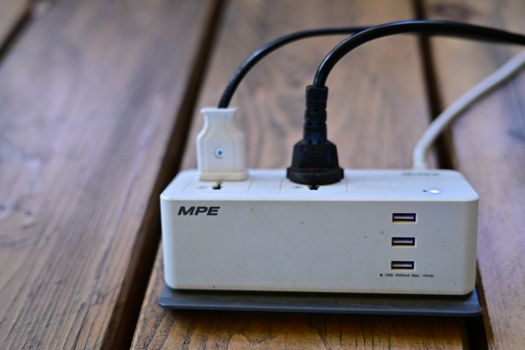
At home, the challenge is rarely a single phone. Many households juggle two phones, a tablet, smartwatch, earbuds, and a laptop, all needing power at the end of the day. Multi-device charging stations solve this by giving every gadget a designated spot. In a July 2025 test, TechGearLab purchased 12 of the best charging stations from brands including SIIG, Anker, Apple, and Belkin, then ran them through head-to-head testing. The presence of those well-known brands shows how competitive this category has become.
Anker is a common name in multi-device setups. In a popular demonstration of an ultimate charging station, tech creator Michael Soledad showed how Anker chargers, wireless charging stations, and USB-C hubs can power everything from a phone to a laptop while keeping the workspace organized. The key is to match the station to the devices you own. A station with multiple USB-C ports handles newer phones and tablets well, while a model with a dedicated wireless pad adds convenience for phones that support it. Before buying, check the number of ports, the output power, and whether the station leaves enough room for thicker phone cases.
Built-In Charging Spots That Keep Cables Under Control
Charging furniture has become a favorite solution for households that want power without visible cable clutter. Interior design advice from Houzz highlights several built-in ideas that hide cords while keeping devices accessible. The recommended approaches include:
- Charging drawers for stashing devices out of sight
- Tip-out drawers that reveal outlets only when opened
- Open shelves with built-in power access
- Upright niches in walls or cabinetry
- Entry cabinets that charge devices near the front door
- Shallow cabinets designed for slim devices
- Recessed cabinets that keep charging gear flush with the wall
- Mixed-use cabinets that combine storage and power
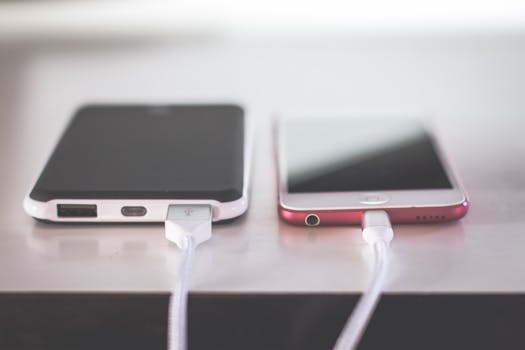
These built-in solutions work well for daily use because they put phones in a consistent place. A phone that lives in a charging drawer at night is less likely to be lost under a pillow or left on a kitchen counter. For renters, open shelves and shallow cabinets are easier to install than recessed versions, which usually require modifications to the wall. The main trade-off is convenience versus installation effort.
Comparing Charging Options at a Glance
The right solution depends on context. The table below summarizes the main types of phone charging solutions and where each one fits best.
| Charging Solution | Best Used For | Key Considerations |
|---|---|---|
| Personal power bank | Travel, commutes, outdoor events | Portable and independent of nearby outlets |
| Shared power bank rental | Airports, city centers, forgotten chargers | Rent and return at participating stations |
| Free public wireless kiosk | Shopping malls, venues, quick top-ups | Compatible with a wide range of phone brands |
| Multi-device desk station | Home offices and shared workspaces | Look for enough ports and enough power output |
| Built-in charging cabinet or drawer | Daily household organization | Installation varies from simple shelves to recessed cabinetry |
Where to Find Phone Charging Solutions
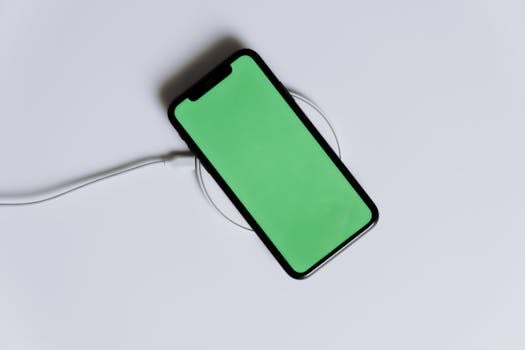
Shopping for charging equipment is straightforward because the category is widely stocked. A search for cell phone charging stations on Amazon returns more than 3,000 results, ranging from simple single-device docks to large multi-port stations. Amazon also offers free shipping and free returns on eligible items, which makes it easier to test a station at home before committing to it.
For those who want basics like wall chargers, cables, and car chargers alongside phone protection, retailers such as Mobile Gadget HQ keep a focused selection of mobile accessories. In addition to phone cases for iPhone, Samsung, and Google Pixel, the store carries chargers, cables, and audio gear, with free shipping, international delivery, and a 60-day return policy. That combination is helpful for budget-conscious shoppers who want a single order to cover a new case and the cables to go with it.
Frequently Asked Questions
Where can I charge my phone for free?
Free charging is often available through wireless kiosks placed in public areas. ChargeAll says its wireless phone charging kiosks are free for all phone types, including Androids, iPhones, and iPads, as well as devices from LG, Samsung, Motorola, and other brands. Availability depends on the venues that host the kiosks, so it helps to check whether a mall, airport, or event space advertises free charging before you rely on it.
How do shared power bank rental networks work?
Companies like ChargerGoGo and chargeFUZE operate networks of shared power banks that users can rent on the spot. You take a portable battery from a station, charge your phone while you move around, and return the battery to another participating station when you are done. Each provider sets its own rental terms, and users should confirm the return locations and pricing through the company's official app or website.
What is the best charging station for multiple devices?
Independent testing from TechGearLab compared 12 charging stations from SIIG, Anker, Apple, Belkin, and others in head-to-head evaluations. The best model for you depends on the devices you own and the space you have. A desk setup commonly pairs an Anker multi-port charger with a wireless charging pad and a USB-C hub to handle phones, tablets, and laptops at full speed.
Are public charging stations compatible with my phone?
Many public stations support a broad range of brands. ChargeAll lists Android devices, iPhones and iPads, LG, Blackberry, HTC, Samsung, Motorola, and Kindles as compatible with its kiosks. Stations that support fast charging, such as the made-in-USA InCharged units, are designed to work with modern phones that accept higher power delivery. If your phone uses a less common connector, carrying your own cable can be a useful backup.

