

Samsung Earbuds Buying Guide: What to Check First
Choosing Samsung earbuds is less about picking a color and more about matching a model to the way you listen. Samsung keeps several Galaxy Buds generations on sale at once, and the real differences show up in noise cancelling, battery, water resistance, call features, and fit rather than in the shape of the charging case. Here is what Samsung publishes about its own lineup, what independent reviewers add, and the practical questions worth settling before you pay.
Start With the Exact Model Name, Not the Category
Samsung groups its audio products under the Galaxy Buds banner, but each name is a separate product with its own spec sheet. Current Samsung pages and retailer listings reference Galaxy Buds, Galaxy Buds 2 Pro, Galaxy Buds4, and Galaxy Buds4 Pro, and regional sites such as Samsung Caribbean organize the range by product type and the features that matter to each buyer.
Before you shop, write down the precise model name you intend to buy, including the generation number. Then confirm that the same name appears on the retailer listing, the support documents, and any accessory you plan to add. Ear tips, charging cases, and support articles are tied to specific generations, so a close name match is not always a safe match.
If you want a starting point, reviewers at RTINGS describe the Galaxy Buds4 Pro as the best Samsung earbuds they have tested, pointing to a strong active noise cancelling system. That is one editorial verdict, not a rule. Buyers who care more about price often look at earlier generations that are still widely sold, such as the Galaxy Buds 2 Pro.
The Features Samsung Uses to Describe Its Earbuds
Samsung product listings and comparison pages lean on a consistent set of terms. Knowing what each one refers to makes the spec sheets far easier to read.
| Feature listed by Samsung | What it affects in daily use |
|---|---|
| Active noise cancelling | How much surrounding sound is reduced while you listen. |
| 360 Audio | Spatial-style sound placement in supported content. |
| Hi-Fi sound and speaker specs | Driver and tuning details listed per model on Samsung's compare page. |
| HD Voice and call features | Microphone performance and how you sound to the person on the line. |
| Voice detect and conversation mode | How the buds react when you start speaking to someone nearby. |
| IPX7 water resistance | Protection level advertised on the Galaxy Buds 2 Pro listing. |
| Comfort ear fit | Shell and tip design, which drives long-session comfort. |
Not every feature appears on every model. Voice detect, conversation mode, and 360 Audio are advertised on specific products rather than across the whole range, so treat the comparison page for your chosen model as the source of truth instead of a marketing summary.
Compare Battery, Speaker, and Microphone Specs Side by Side
Samsung's Galaxy Buds comparison tool breaks products down by battery power, speaker, microphone, voice detect, and other characteristics. Use it the way you would use a spreadsheet: put two or three candidate models in a row and read across, rather than reading each product page on its own and trying to remember the numbers.
Battery is the specification buyers misread most often. A capacity figure on a spec sheet rarely matches real listening time, because noise cancelling, volume level, call time, and streaming all change how quickly the charge drops. Manufacturer figures are useful for ranking one model against another, but they are not a promise about your commute. Look for independent testing if runtime is the deciding factor for you.
Fit and Seal Decide How Good They Actually Sound
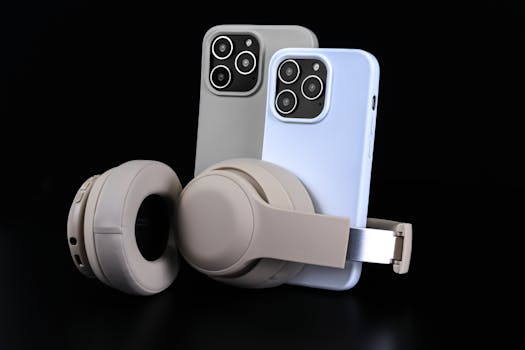
Samsung advertises a comfort ear fit on its earbuds, and fit is not a cosmetic detail. A loose seal lets outside noise in, which forces the noise cancelling to work harder and thins out low frequencies. A tight seal can feel uncomfortable after an hour.
Most earbuds ship with more than one tip size, and the correct size is the one that sits securely without pressure. If you can hear a noticeable change in bass when you press the buds gently into place, the tips are probably too small. Buyers who struggle with standard tips should check which replacement tip options exist for the exact model before ordering, since tip fittings differ between generations.
Water Resistance: What an IPX7 Rating Covers
The Galaxy Buds 2 Pro listing carries an IPX7 water resistance rating, which signals protection against water exposure. Not every Samsung earbud listing advertises the same rating, and ratings are tested under defined conditions rather than in everyday chaos.
Before you plan to sweat heavily in a pair, read the specific model page and the support documentation for that product. If liquid damage matters to you, check the manufacturer's warranty terms directly, because a resistance rating and a warranty covering water damage are two different things. Neither Samsung nor a retailer is obliged to treat a rating as unlimited protection.
Controls, Calls, and the Support Pages Worth Bookmarking
Samsung maintains a support library for its audio products that covers the questions buyers ask in the first week. The most useful entries include:
- How to connect your Galaxy Buds to a phone or tablet
- Touchpad commands for your Samsung earbuds
- Using call features on your Samsung earbuds
- Searching by model code or product name for model-specific help
Bookmark those pages before your earbuds arrive. Touch controls in particular are easy to trigger by accident until you learn the tap patterns, and a two-minute read saves a frustrating first day.
New, Renewed, or Open-Box: What Changes
Samsung earbuds sell through several channels. Best Buy, for example, lists Samsung earbuds with filters for condition and delivery speed, and its brand filters place Samsung alongside Beats, Soundcore, JBL, Sony, Bose, and JLab, which makes side-by-side brand comparison easy. Amazon also carries Samsung earbuds, including renewed listings such as a renewed Galaxy Buds 2 Pro.
A renewed listing means the item has been previously owned and refurbished rather than sold as new. That can be good value, but the details matter: confirm what the seller includes in the box, whether replacement ear tips are supplied, and how long the return window runs. If a listing does not answer those questions clearly, treat it as a reason to look elsewhere or to ask the seller first.
Compatibility Questions to Settle Early
Samsung earbuds connect over Bluetooth, and the core listening experience works across phones. What varies is which software features appear and how deeply the buds integrate with the device you carry.
Samsung's own support pages are organized around Galaxy devices, which tells you where the company focuses its documentation. If you use a non-Samsung phone, confirm before purchase that the features you care about, such as voice detect or call handling, are available on your handset. The compare page and the audio support library are the fastest places to check, and a quick search of the model name plus your phone model usually surfaces other users with the same pairing.
Accessories That Round Out the Setup
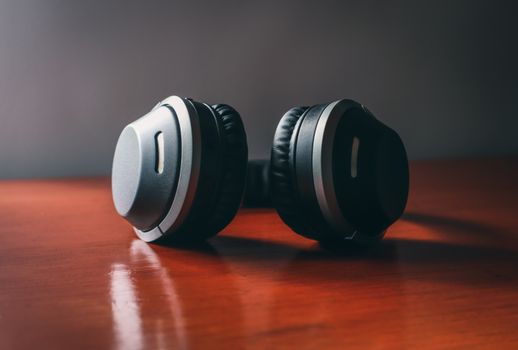
Earbuds rarely travel alone. A protective case, a spare charging cable, and a reliable wall charger are the three items most buyers add at the same time. Mobile Gadget HQ carries cases for Samsung, iPhone, and Google Pixel phones along with chargers, cables, audio gear, and gaming accessories, with free shipping, international delivery, and a 60-day return policy on orders.
A Quick Buying Checklist
- Write down the exact Galaxy Buds model name and generation you want.
- Open Samsung's comparison page and read battery, speaker, microphone, and voice detect entries for your shortlist.
- Decide how much noise cancelling you actually need.
- Check the water resistance rating on the specific model page.
- Confirm which features work with your phone, especially if it is not a Galaxy device.
- Verify what is included in the box, particularly on renewed listings.
- Budget for a case, cable, and charger if you do not already own compatible ones.
Frequently Asked Questions
Which Samsung earbuds are the best?
Reviewers at RTINGS rate the Galaxy Buds4 Pro as the best Samsung earbuds they have tested, largely because of its noise cancelling. The better question is which model suits you. If you want the strongest ANC, start with the flagship. If value matters more, earlier generations such as the Galaxy Buds 2 Pro are still widely sold and still advertise features like 360 Audio and IPX7 resistance.
Are Samsung earbuds worth buying?
They are worth considering if you want a mainstream wireless earbud with noise cancelling, call features, and a comparison page that lets you check specifications before buying. Whether the price is worth it depends on the model and the deal you find. Compare a couple of generations side by side, then decide which features you will actually use every day.
What is the difference between Galaxy Buds 3 and Galaxy Buds 4?
The differences are generation-level changes in things like speaker design, microphone setup, battery, and noise cancelling, and Samsung publishes those details on its comparison tool rather than in a single summary. Model naming also varies by region and listing, with Galaxy Buds4 and Galaxy Buds4 Pro appearing in current pages. Check the exact model name before assuming what you are buying.
How do I connect and control Samsung earbuds?
Samsung's audio support library includes step-by-step help for connecting your Galaxy Buds, a guide to touchpad commands, and instructions for using call features. Pairing happens over Bluetooth. Once connected, most everyday control comes from tapping the touchpad, so learning the tap patterns early prevents accidental pauses and skipped tracks during your first week.
Do Samsung earbuds work with non-Samsung phones?
They connect over Bluetooth, so basic listening works with other phones. The uncertainty is feature support. Samsung's documentation is built around Galaxy devices, and some functions may behave differently elsewhere. If you use another brand, check the model page and support articles, or search for users pairing that specific model with your phone, before you buy.

