

Charging Solutions for Multiple Devices: Keep Everything Powered
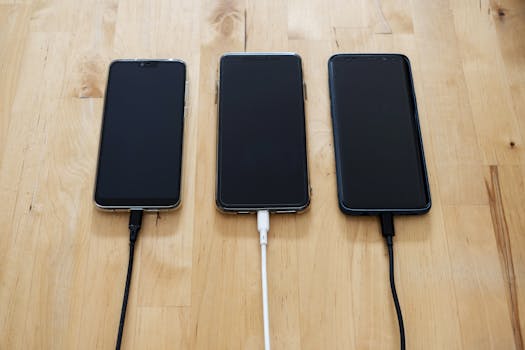
The number of gadgets in the average home keeps growing. Phones, tablets, laptops, earbuds, smartwatches, and speakers all need power, and each usually arrives with its own adapter. Before long, outlets disappear behind a tangle of cables. Charging solutions for multiple devices offer a simpler way: a single station that powers several gadgets at once from one wall outlet. Multi-device stations also help eliminate cable clutter, giving every phone, tablet, and laptop a designated spot to recharge.
Why a Multi-Device Charging Station Makes Sense
A multiple device charger station allows you to charge two or more devices at the same time from one power source. That convenience matters more as households fill up with battery-powered gear. Instead of rotating devices through a single charger or carrying adapters from room to room, you can plug everything into one organized hub at the end of the day.
This setup also reduces clutter. Cables no longer drape across counters or dangle from nightstands because the station provides a fixed home for each device. In the morning, you can grab a fully charged phone on your way out. In the evening, tablets, smartwatches, and earbuds can recharge overnight in one place, ready for the next day.
Core Features to Evaluate Before You Buy
Multi-device stations may look similar at a glance, but their capabilities vary widely. The main differences come down to total power output, number of ports, port types, and wireless charging support. Comparing those specifications helps you pick a station that matches the devices you own and the way you use them.
Total Power Output
Total output, measured in watts, is the maximum power a station can deliver across every connected device. It matters most when a laptop is part of the mix, since portable computers draw significantly more power than phones. The Lcssio 300W Charging Station advertises a shared total output up to 300W. Anker's GaN-powered USB-C charging stations provide up to 240W of total output, and Best Buy carries a Core Tech 400W 10-Port Charging Station with an even higher ceiling.
High wattage gives you room to charge demanding devices at the same time. Stations with 240W or more can support a laptop, a tablet, and several phones simultaneously. Smaller stations still handle phones and accessories well, but they may not be able to run a laptop at full speed while other devices pull power.
Number of Ports and Devices
Port count determines how many gadgets you can plug in at once. The Lcssio station includes 8 ports, and the Core Tech station at Best Buy offers 10 ports. Other models are more compact. The Satechi Dock5 charges up to five devices simultaneously, and review source Techgearlab describes the Soopii Quick Charge 3.0 as a good option for charging up to six electronics at an affordable price.
A practical approach is to count the devices your household charges on a typical day and choose a station with a few ports to spare. Extra capacity covers new gadgets, accessories, and the occasional phone borrowed from a guest.
Port Types and Charging Speed
Port types affect which cables you can use and how fast devices charge. The Lcssio station offers dual 65W ports designed for laptops, plus extra 30W and 20W ports for tablets and smartphones. The Satechi Dock5 includes two USB-C PD ports and two USB-A ports, giving it flexibility for both newer USB-C devices and older accessories that still rely on USB-A cables.
Anker's multi-device stations use a GaN-powered USB-C design to deliver up to 240W of total output, enough for laptops, phones, tablets, and accessories. When comparing stations, check both the number of USB-C ports and the wattage each port can provide so a high-demand device never ends up plugged into a low-power slot.
Wireless Charging Options
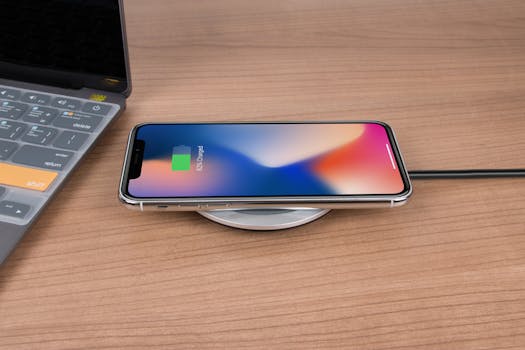
Wireless charging is not included on every station, so shoppers who want it need to check the product details carefully. The Satechi Dock5 is a hybrid example, pairing its wired ports with a built-in Qi wireless pad. Best Buy also carries a Trexonic 7-in-1 Qi Wireless multi-device charging station. Models that do not mention Qi in their name or specifications rely fully on cables.
A station with both wired and wireless options covers the widest range of devices. You can plug in a laptop and tablet while setting a phone on the wireless pad, keeping every surface free of extra cords.
Popular Charging Stations at a Glance
The table below summarizes specifications from current product listings and reviews. Fields where the original source did not state a value are marked as not stated rather than guessed.
| Station | Total Output | Ports / Devices | Wireless Charging |
|---|---|---|---|
| Lcssio 300W Charging Station | Up to 300W shared | 8 ports, with dual 65W ports plus 30W and 20W ports | Not stated |
| Anker GaN-Powered USB-C Stations | Up to 240W | Multiple devices, varies by model | Not stated |
| Satechi Dock5 | Not stated | Up to 5 devices; 2 USB-C PD and 2 USB-A ports | Built-in Qi wireless pad |
| Soopii Quick Charge 3.0 | Not stated | Up to 6 devices | Not stated |
| Core Tech 400W 10-Port Charging Station | 400W | 10 ports, includes 8 cables | Not stated |
| Trexonic 7-in-1 Qi Wireless | Not stated | 7-in-1 model | Qi wireless |
Because these stations come from different brands and retailers, prices and availability change often. Exact pricing was not included in the available listings, so check the current product page before making a purchase. None of the available sources name a single best station overall, so the right choice depends on your devices, desk space, and daily charging needs.
Choosing the Right Station for Your Setup
Think about your daily routine before settling on a model. If you charge a work laptop alongside a phone, look for high total output and at least one port with enough wattage for that laptop, such as the dual 65W ports on the Lcssio station or the 240W total output from Anker's GaN stations. Households that mainly charge phones and tablets may be well served by a station like the Soopii Quick Charge 3.0, which handles up to six devices at an affordable price.
Fans of wireless charging should focus on models that clearly state Qi compatibility, such as the Satechi Dock5 or the Trexonic 7-in-1 from Best Buy. Space is another consideration, since stations range from compact docks to wide trays with many ports. Retailer pages list dimensions and weight, so compare those details against the desk, counter, or nightstand where the station will live.
Once the station arrives, place it where household members naturally drop their devices. A shared entry table or a central desk keeps everyone in the habit of returning gadgets to the same spot.
Frequently Asked Questions
Can one charging station handle a laptop, phone, and tablet at the same time?
Yes, when the station has enough total output and appropriate port wattage. The Lcssio 300W Charging Station offers up to 300W of shared output, with dual 65W ports for laptops and separate 30W and 20W ports for tablets and phones. Anker's GaN-powered USB-C stations provide up to 240W total, which also supports laptops, phones, tablets, and accessories at the same time.
Are wireless charging pads included on all multi-device stations?
No. Wireless charging is a feature on some models, not all. The Satechi Dock5 includes a built-in Qi wireless pad, and Best Buy lists a Trexonic 7-in-1 Qi Wireless multi-device station. Many other stations rely exclusively on cables. If you want wireless convenience, confirm Qi compatibility in the product name or specification list before ordering.
How many devices can a multi-device charging station charge at once?
It varies by model. The Satechi Dock5 charges up to five devices simultaneously, the Soopii Quick Charge 3.0 handles up to six, the Lcssio station has 8 ports, and the Core Tech 400W model at Best Buy offers 10 ports. Count the items you charge on a normal day, then choose a station with a few ports to spare for future gadgets.
What does shared total output mean on a charging station?
Shared total output is the maximum amount of power a charging station can distribute across all connected devices at once. The Lcssio station, for example, has a shared total output up to 300W, while Anker's GaN stations reach 240W. Individual ports have their own wattage limits, so a 65W port can charge a laptop while a 20W port charges a phone. All ports together draw from the station's shared capacity.

